
 Menu

How To Color Match in Procreate in 2 Easy Ways

In this post, we will show you how to color match in Procreate on iPad. We will share with you two ways you can do so.
- The Side Bar.
- Touch and hold.
1. The Side Bar:
You can color match using this square on the sidebar, tap it. Now, you have got the eyedropper/color picker. All you have to do is drag it to where you want to pick the color.


2. Touch And Hold:
You can also long tap anywhere in your canvas to pick up color. It opens up the eye dropper once again so that you can color match.
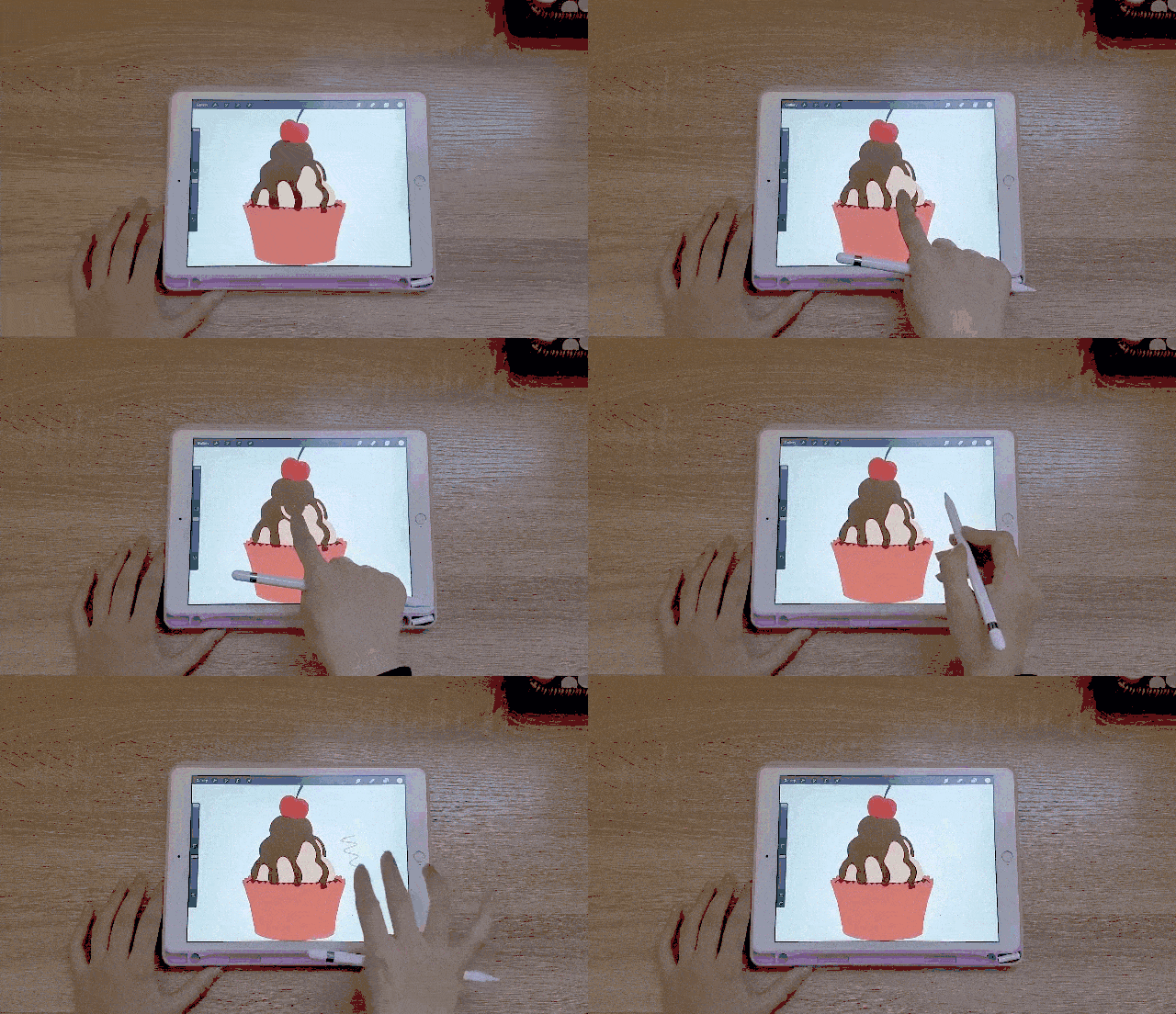
If the previous two methods are not second nature to you and you find you have to think about it, you can always change the gestures that open up the eyedropper.
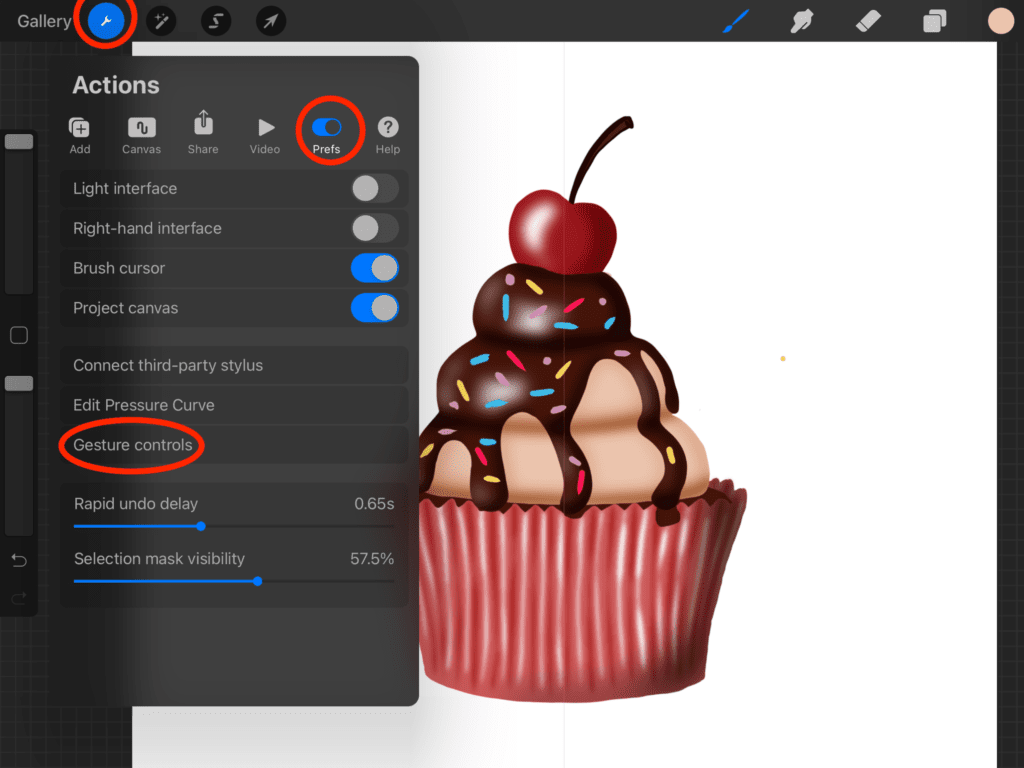
In order to change the gestures, you can head over to the “Actions” menu, “Prefs“, “Gesture controls” and then”eyedropper“.
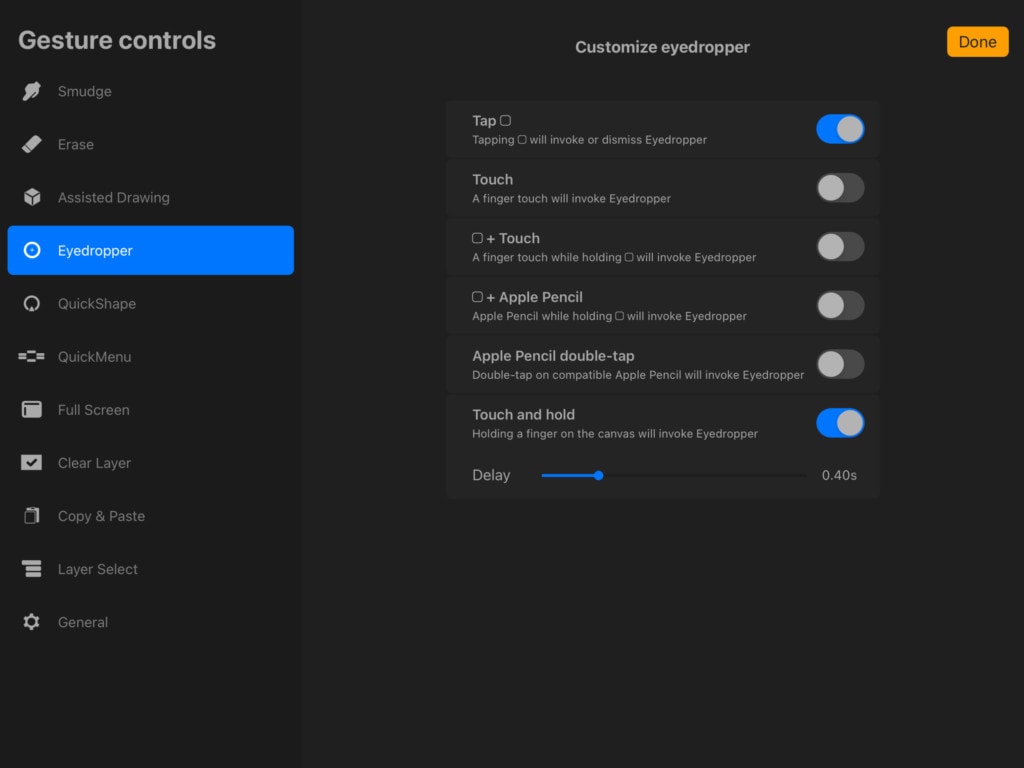
You can now toggle whatever Gestures you would like to use for color matching, and untoggle the ones that feel weird for you to use. Pretty cool, right?
We hope you found this tutorial helpful!
And if you are a Procreate brush lover, feel free to check our collection of more than 50.000 brushes that can help you on your way to becoming an excellent artist. Keep on creating!


Share this article